
US · sales-tax
How to calculate sales tax: formula, examples and total cost
Multiply the taxable amount by the applicable percentage divided by 100, then add the tax to that amount. Establish the taxable base and rate first: a calculator performs the arithmetic, not the legal classification.
Start with the taxable amount, not an assumed rate
To calculate sales tax, you need two inputs: the amount to which tax applies and the applicable percentage. The multiplication is straightforward; choosing those inputs is a separate task. A before-tax sticker price, a basket subtotal and a receipt total are not interchangeable.
This guide covers one established taxable amount at one known combined rate. It does not decide whether an item is taxable, identify the place of sale, or calculate a business’s collection and filing obligations. All numerical percentages below are hypothetical arithmetic inputs, not official US tax presets.
Use the calculator with tax after confirming your inputs. Select Add tax when the amount excludes sales tax. If your amount already includes tax, use Remove tax instead; adding it again would overstate the total.
Sales tax formula: from price to total cost
Write the percentage as a decimal by dividing it by 100. Multiply the taxable amount by that decimal, round the tax as required for the calculation being performed, and add it to the amount before tax.
Sales tax = taxable amount x rate / 100
Total = taxable amount + sales tax
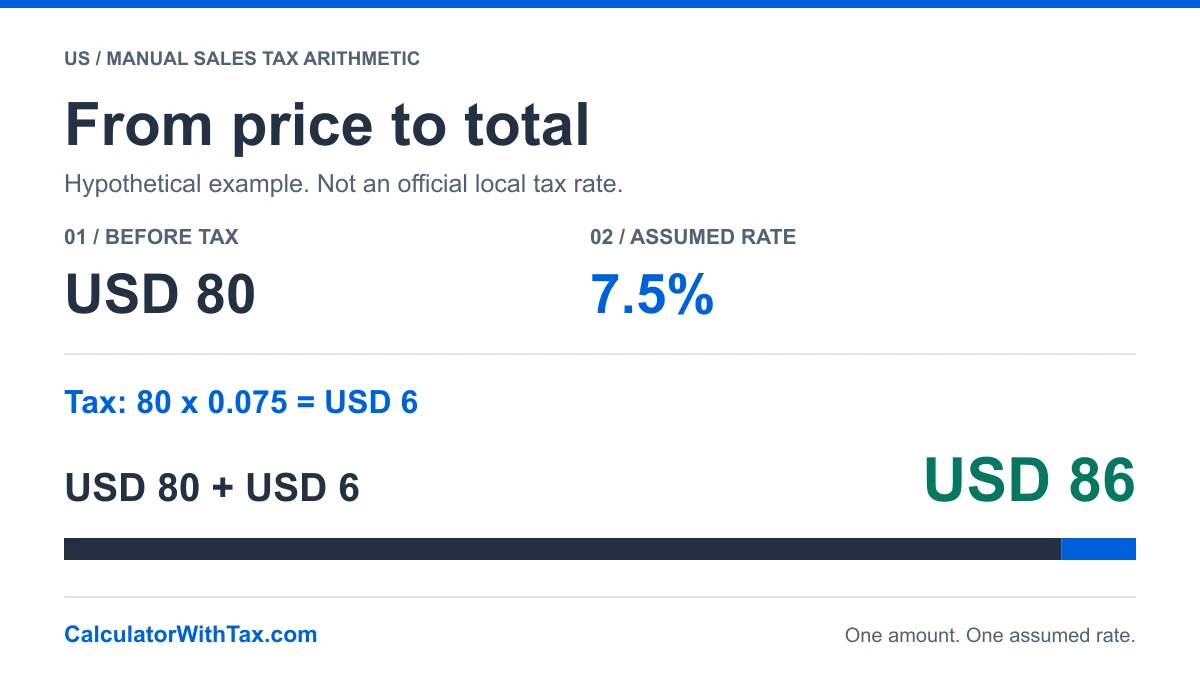
For an illustrative USD 80 taxable purchase at an assumed 7.5%, the decimal rate is 0.075. The multiplication gives USD 6 tax. Adding USD 80 and USD 6 gives USD 86 total. The percentage is measured against USD 80, not USD 86.
The examples on this page use the site’s manual calculation convention: round the tax to two decimal places, with half-cents rounded up, then add it to the before-tax amount. This is a disclosed arithmetic convention, not a claim about the rounding law for every US jurisdiction.
Worked USD examples and tax breakdown
Every row uses the website's manual decimal engine. These percentages are hypothetical inputs, not official rates for any state, city or purchase.
| Scenario | Input | Assumed rate | Before tax | Tax | Total |
|---|---|---|---|---|---|
| One taxable amount | $80.00 | 7.5% | $80.00 | $6.00 | $86.00 |
| Fractional-cent arithmetic | $19.99 | 7.5% | $19.99 | $1.50 | $21.49 |
| An established taxable subtotal | $125.00 | 8% | $125.00 | $10.00 | $135.00 |
The USD 19.99 example illustrates why decimal precision matters. Multiplying by the assumed 7.5% produces an unrounded tax amount of USD 1.49925. Under the manual tool’s convention, that becomes USD 1.50, so the total is USD 21.49. Do not truncate the unrounded value to USD 1.49.
The table and diagram are generated from the same decimal engine as the manual calculator. They show what the entered numbers produce; they do not certify the percentage, the taxable base or a merchant’s compliance.
Find the applicable state and local rate
Do not treat a state base rate as a universal checkout rate. The California Department of Tax and Fee Administration explains that district taxes can increase the statewide rate and links to an address-based lookup. The Texas Comptroller’s local sales tax FAQ also distinguishes state and local sales taxes.
For a real transaction, use the relevant state’s official resources to establish the jurisdiction, effective date and applicable combined rate. Then check the taxability of the items and charges. California and Texas are source examples here, not a complete directory of all states or a substitute for another jurisdiction’s rules.
Selecting United States in our manual tool changes the country and currency context; it does not perform a ZIP-code lookup or silently apply a verified local rate. Enter the applicable percentage yourself. The tool’s initial illustrative percentage is not a recommendation.
Handle mixed baskets and charges separately
A receipt may contain amounts that need different treatment. Before entering a subtotal, establish whether all of it belongs in the same taxable base. If different parts have different rates or tax treatments, one percentage on the entire total will not reproduce the individual calculations.
For example, suppose you have already established that USD 80 belongs to one taxable base and USD 20 is outside that base. At an explicitly hypothetical 7.5% on the USD 80 only, tax is USD 6 and the combined payment is USD 106. Applying the same percentage to USD 100 instead would give USD 7.50 tax. This is a mathematical comparison, not a rule determining which goods are exempt.
Discounts, coupons, shipping, delivery and tips need their own applicable rules. Do not automatically include or exclude them because a calculator accepts a single amount. This page deliberately does not offer a universal discount-before-tax or shipping-taxability rule.
Check the result before using it
Confirm that the starting amount excludes tax and that the percentage is entered as 7.5, not 0.075, when you mean 7.5%. Make sure the tool is in Add tax mode. Then verify that the before-tax amount plus the displayed tax equals the displayed total.
If a receipt differs by a cent, check whether it rounds each line, each tax component or a subtotal. Recalculating one combined amount with a different rounding method is not sufficient evidence of a billing error. Use the seller’s breakdown and the relevant official rules to investigate.
When you start with a tax-inclusive amount rather than a before-tax price, use the reverse sales tax guide. It divides by one plus the decimal rate; it does not subtract that percentage directly from the total. The manual tool below lets you switch between both starting points.
Frequently asked questions
What is the formula for calculating sales tax?
For one established taxable amount and applicable rate, tax equals the amount multiplied by the rate divided by 100. Add the rounded tax to the starting amount to obtain the total under the manual calculator's convention.
How do I calculate sales tax on a USD 80 purchase?
If USD 80 is the taxable amount and 7.5% is an explicitly hypothetical rate, the tax is USD 6 and the total is USD 86. This example does not assign a rate to any US location or product.
Can I use a state's base rate for every purchase?
Do not assume that a state base rate is the applicable combined rate. Official California and Texas guidance describes local taxes as well. Check the transaction's jurisdiction, date and tax treatment with the relevant authority.
Is the entire receipt always taxable?
Do not assume that it is. Establish which items and charges belong in the taxable base under the applicable rules. This guide does not determine the treatment of discounts, delivery, tips or mixed taxable and exempt purchases.
Does this calculator find sales tax by ZIP code?
No. The manual calculator uses the percentage you enter. It is not an address lookup, a product-taxability database or a filing service.
Manual example
Illustrative arithmetic only. Not an official tax rate.
- Amount before tax
- Tax amount
- Total
80.00 + 6.00 = 86.00
Open the full calculator