
US · sales-tax
California sales tax calculator: check the rate, then calculate
Confirm the applicable California rate and taxable amount first, then multiply the amount by the percentage divided by 100. The statewide rate is not necessarily the complete rate for your transaction.
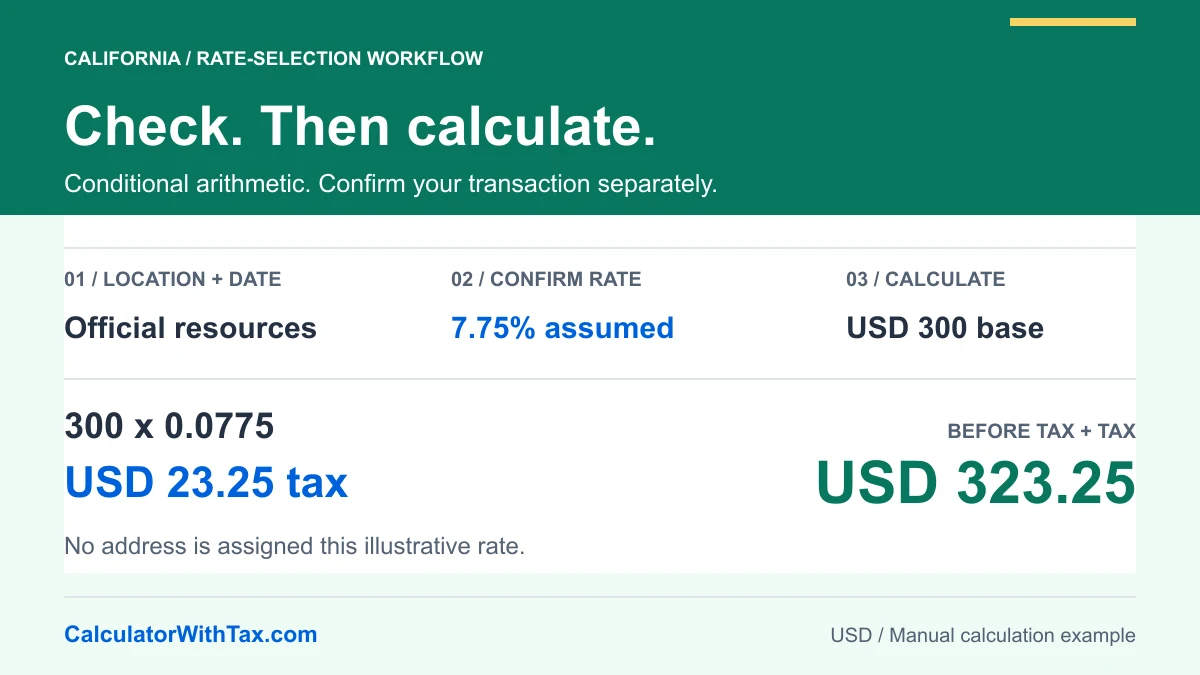
Start with the rate, not the multiplication
A California sales tax calculator is useful once you know which amount and percentage belong in the calculation. It cannot make an incorrect rate correct. A price label, the taxable part of a basket and a payment total are different starting points, so identify yours before entering a number.
The California Department of Tax and Fee Administration rate page lists a 7.25% statewide rate and explains that district taxes can add to it. Multiple districts may apply. Those statements were checked against the official page on 19 October 2026; they do not establish a combined rate for your transaction.
Our calculator with tax accepts your percentage manually. Selecting United States sets the country and currency context. It does not select California, find your address or certify a product’s tax treatment.
Check the location and effective date
Use the official rate page to reach CDTFA’s address lookup, current city and county listings, and historical rate information. Choose the period relevant to the sale rather than using today’s listing for an old receipt.
CDTFA’s Know Your Sales and Use Tax Rate guidance explains why a mailing address or ZIP code alone is not always sufficient and describes rate changes taking effect on specified dates. The official tools are separate from this website; we do not submit your address to them.
A useful calculation record contains the transaction date, the official resource consulted, the location used for the lookup, the confirmed percentage and the established taxable amount. Keep that record privately. You do not need to enter an address, customer name or receipt image into our calculator.
Calculate tax on a before-tax amount
Assume, only for the worked example, that USD 300 is the established taxable base and 7.75% is the confirmed combined rate. This is a hypothetical location scenario, not a published city-rate recommendation.
Tax = 300 x (7.75 / 100) = USD 23.25
Total = 300 + 23.25 = USD 323.25
Enter 300 as the amount, 7.75 as the percentage, and select Add tax. Entering 0.0775 into a percentage field would mean a different percentage; that decimal belongs in the multiplication, not in the rate input.
The diagram and table below use the same manual decimal engine as the adjustable example. They are conditional calculations, not independent evidence that a particular purchase is taxable at the displayed rate.
Compare the example with its tax-inclusive total
These examples assume one established taxable base and the stated percentage. They do not identify the rate for an address, product or sale date.
| Scenario | Input | Rate used | Before tax | Tax | Total |
|---|---|---|---|---|---|
| Assumed combined rate | $300.00 | 7.75% | $300.00 | $23.25 | $323.25 |
| Small taxable amount | $19.99 | 7.75% | $19.99 | $1.55 | $21.54 |
| Same example, tax included | $323.25 | 7.75% | $300.00 | $23.25 | $323.25 |
When USD 323.25 already includes this assumed tax, division by 1.0775 recovers USD 300 before tax. Subtracting USD 300 from the total gives USD 23.25 included tax. Subtracting 7.75% directly from USD 323.25 would use the wrong base.
The exact unrounded included-tax fraction for this example is 7.75 / 107.75, equivalent to 31/431. The fraction measures the tax share of the inclusive total, not the rate on the before-tax amount. See the reverse sales tax guide for the general derivation.
Avoid adding district tax twice
First establish whether the percentage you obtained is a combined rate or one component. If an illustrative combined rate is already 7.75%, adding another assumed 0.50 percentage points would change the input to 8.25%. On USD 300 that changes tax from USD 23.25 to USD 24.75, a USD 1.50 difference caused by the rate input.
This comparison does not assign either rate to a location. It shows why a label such as “combined” matters. Likewise, when components apply to the same base, combine their percentages before the multiplication; do not assume each tax is imposed on a subtotal that already contains another tax.
Reconcile the taxable base and rounding
Check whether the amount you entered is entirely within one established taxable base. A single percentage on a mixed receipt can produce a neat answer without reproducing the seller’s calculation. Discounts, delivery, exempt items and specialized transactions require their applicable rules, which this guide does not determine.
The manual tool rounds added tax to cents using half-up rounding. In Extract tax mode it rounds the recovered before-tax amount and obtains tax as the difference. That is the tool’s disclosed arithmetic convention, not a California-specific rounding or invoice-compliance certification.
Before using the result, confirm that the displayed before-tax amount plus tax equals the total, check the percentage against your source, and retain the original transaction detail. The sales tax formula guide explains the same arithmetic without the California rate-selection workflow.
Frequently asked questions
How do I use a California sales tax calculator?
Confirm the taxable amount and applicable combined rate, select Add tax and enter both values. For a total already containing one known tax, use Extract tax instead. This manual tool does not find a rate from an address.
Is 7.25% the rate everywhere in California?
CDTFA identifies 7.25% as the statewide rate. Applicable district taxes can increase it, so do not treat that figure as a universal checkout rate.
Can I rely on a ZIP code alone?
CDTFA warns that a mailing address or ZIP code alone does not always establish the correct rate. Use its official location resources and confirm the relevant transaction details.
What is the tax on USD 300 at an assumed 7.75%?
For this conditional example, USD 300 multiplied by 0.0775 gives USD 23.25 tax and USD 323.25 total. The assumed percentage is not assigned to a California city or address.
Can this guide calculate vehicle tax or business filing liabilities?
No. It explains one-base percentage arithmetic. It does not determine vehicle-specific treatment, exemptions, seller obligations, filing amounts or the treatment of individual charges.
Manual example
Illustrative arithmetic only. Not an official tax rate.
- Amount before tax
- Tax amount
- Total
300.00 + 23.25 = 323.25
Open the full calculator