
US · sales-tax
Texas sales tax calculator: state, local and total tax
Texas has a 6.25% state rate, with local taxes of up to 2% and a maximum combined rate of 8.25%. Confirm the applicable combined rate before calculating: the maximum is not a default for every sale.
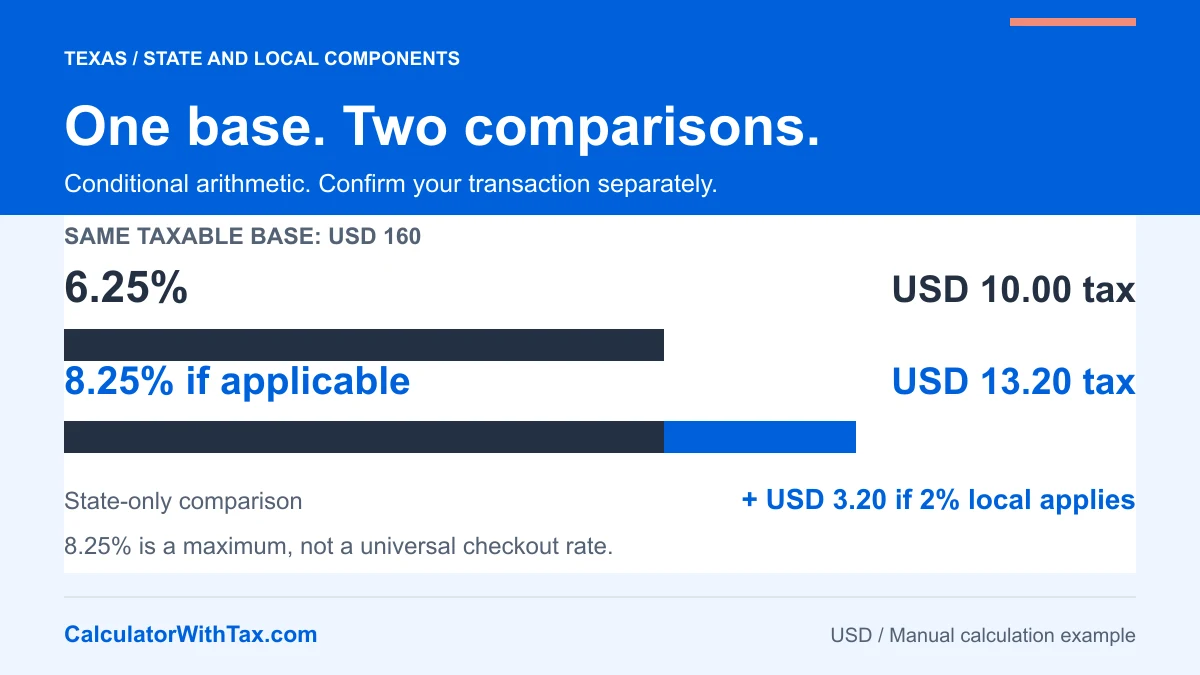
Separate a maximum rate from an applicable rate
A Texas sales tax calculator needs the percentage applicable to the transaction, not simply the largest percentage you have seen. Choosing the rate and taxable base comes first; arithmetic comes second.
The Texas Comptroller’s local sales tax FAQ identifies a 6.25% state sales and use tax rate, local taxes of up to 2%, and a maximum combined rate of 8.25%. These figures were checked against that official page on 19 October 2026. They are rate components and a ceiling, not an automatic 8.25% assignment to every purchase.
The adjustable calculator with tax below performs one-base arithmetic with the percentage you enter. It does not look up a Texas address or automatically decide which local jurisdictions apply.
Confirm the transaction before entering a rate
The Comptroller’s Local Sales and Use Tax Collection guide links to its official address-based Sales Tax Rate Locator. It also explains transaction-dependent local sales and use tax sourcing, with special situations and qualifications. Do not reduce those rules to a blanket instruction to use a customer’s ZIP code for every transaction.
Follow the official guidance relevant to the sale and establish the applicable combined percentage, effective date and taxable amount. This article does not resolve remote-selling obligations, taxability of a particular product, exemptions or the tax treatment of shipping and other charges.
Keep the rate source separate from the arithmetic record. That makes it easier to identify whether a later discrepancy comes from using a different rate, a different taxable base or a different rounding method. No customer address is needed in our manual tool.
Compare state-only and combined-rate arithmetic
Assume a USD 160 taxable amount. Applying 6.25% gives USD 10 for the state component. If a further 2% applies to that same base, its amount is USD 3.20. Together the two amounts are USD 13.20, so the payment total is USD 173.20.
State component: 160 x (6.25 / 100) = USD 10.00
Conditional local component: 160 x (2 / 100) = USD 3.20
Conditional combined tax: 160 x (8.25 / 100) = USD 13.20
Total if that combined rate applies: USD 173.20
The state-only comparison is not a recommendation to omit local tax. The combined example is not a finding that 2% local tax applies. They isolate what the two inputs do to the same base, leaving applicability to the official transaction rules.
Read the tax breakdown and comparison table
These examples assume one established taxable base and the stated percentage. They do not identify the rate for an address, product or sale date.
| Scenario | Input | Rate used | Before tax | Tax | Total |
|---|---|---|---|---|---|
| If the confirmed combined rate is 8.25% | $160.00 | 8.25% | $160.00 | $13.20 | $173.20 |
| State component only, not a checkout recommendation | $160.00 | 6.25% | $160.00 | $10.00 | $170.00 |
| Same combined-rate example, tax included | $173.20 | 8.25% | $160.00 | $13.20 | $173.20 |
The USD 3.20 difference between the first two tax amounts comes entirely from the assumed additional 2% on USD 160. The chart shows the included tax as a share of the total, which is smaller than 8.25% because the total is a larger denominator.
Do not apply the 2% component to USD 170 after adding the USD 10 state amount. That would produce USD 3.40 for the second multiplication and USD 173.40 overall. The extra USD 0.20 comes from compounding the percentages, not from a new applicable tax. This same-base example explains the mathematics; it does not classify a real transaction.
Work backward from a total that includes tax
If USD 173.20 already contains tax at a confirmed 8.25% on one base, divide the total by 1.0825. The result is USD 160 before tax; the difference is USD 13.20 included tax. Select Extract tax and enter the inclusive amount rather than adding tax again.
The exact unrounded included-tax fraction is 8.25 / 108.25, which simplifies to 33/433. It represents the share of the total that is tax under this assumption, not a replacement for the rate on the taxable base. The reverse sales tax guide explains why subtracting 8.25% directly from an inclusive total would be incorrect.
Check the calculation before relying on it
Verify the rate’s source and date, confirm whether the percentage is combined or a component, and check that every dollar in the entered amount belongs to the same established taxable base. A mixed basket or additional charge may require separate treatment; a single-rate result cannot establish those rules.
Our manual tool rounds added tax to cents with half-up rounding. When extracting tax, it rounds the recovered base first and takes the difference from the total. This disclosed convention keeps the displayed parts reconciled; it is not certification of a Texas statutory collection, invoice or return-rounding method.
For the general sequence from before-tax price to payment total, read how to calculate sales tax. For actual collection and reporting obligations, return to the official guidance rather than treating this calculation example as a tax return.
Frequently asked questions
How do I calculate Texas sales tax with a known rate?
Multiply the established taxable amount by the applicable percentage divided by 100, then add the rounded tax to that amount. Confirm the combined percentage separately before using the manual calculator.
Is Texas sales tax always 8.25%?
No. The Texas Comptroller identifies 6.25% state tax and up to 2% local tax, with 8.25% as the maximum combined rate. A maximum is not evidence that it applies to every sale.
What is the total on USD 160 if 8.25% applies?
Under that explicit assumption, tax is USD 13.20 and the total is USD 173.20. This arithmetic example does not establish an address, item or seller's applicable rate.
Do I add 2% after adding 6.25% tax?
If both components apply to the same taxable base, calculate each on that base or use the confirmed combined percentage. Applying local tax to an already state-tax-inclusive amount would compound the tax instead.
Does this calculator determine local sales and use tax sourcing?
No. The Comptroller's seller guidance describes transaction-dependent sourcing and special situations. This manual tool does not classify the transaction, determine nexus or calculate a return.
Manual example
Illustrative arithmetic only. Not an official tax rate.
- Amount before tax
- Tax amount
- Total
160.00 + 13.20 = 173.20
Open the full calculator